Tracking time
An entry is a chunk of work on one project on one day: the date, an optional start/end time (timer- and interval-logged entries have one; duration-only entries don't), the duration, a note, optional tags, and whether it's billable. Entries are what reports summarize and invoices bill.
Live timers
Start, stop, status, cancel
$ ttd start api-rewrite          # project slug; --client disambiguates if needed
$ ttd status                     # elapsed time + today's total
$ ttd stop -n "auth endpoints"   # logs the entry
$ ttd cancel                     # discard without logging
ttd keeps at most one timer running. ttd start with no project uses
defaults.project from config; otherwise it tells you to
pass one.
Backdating with --at
Forgot to start or stop on time? Both commands take a clock time:
Bare hours like 5 resolve to am/pm using your configured workday window
(7:00–19:00 by default) — see Time expressions.
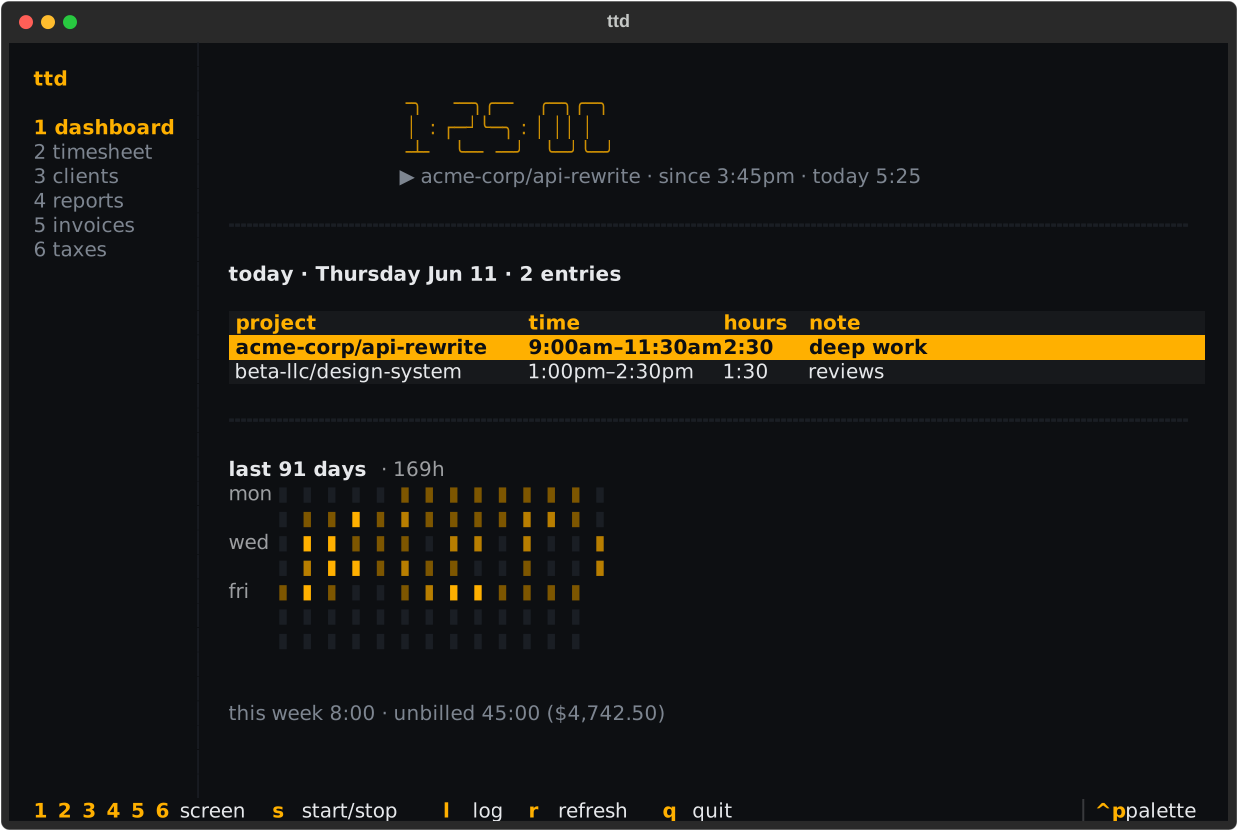
Timers in the TUI
Press s on any TUI screen to start a timer (it asks which project) or stop
the running one. The dashboard shows the running timer front and center:
Logging time after the fact
The log command
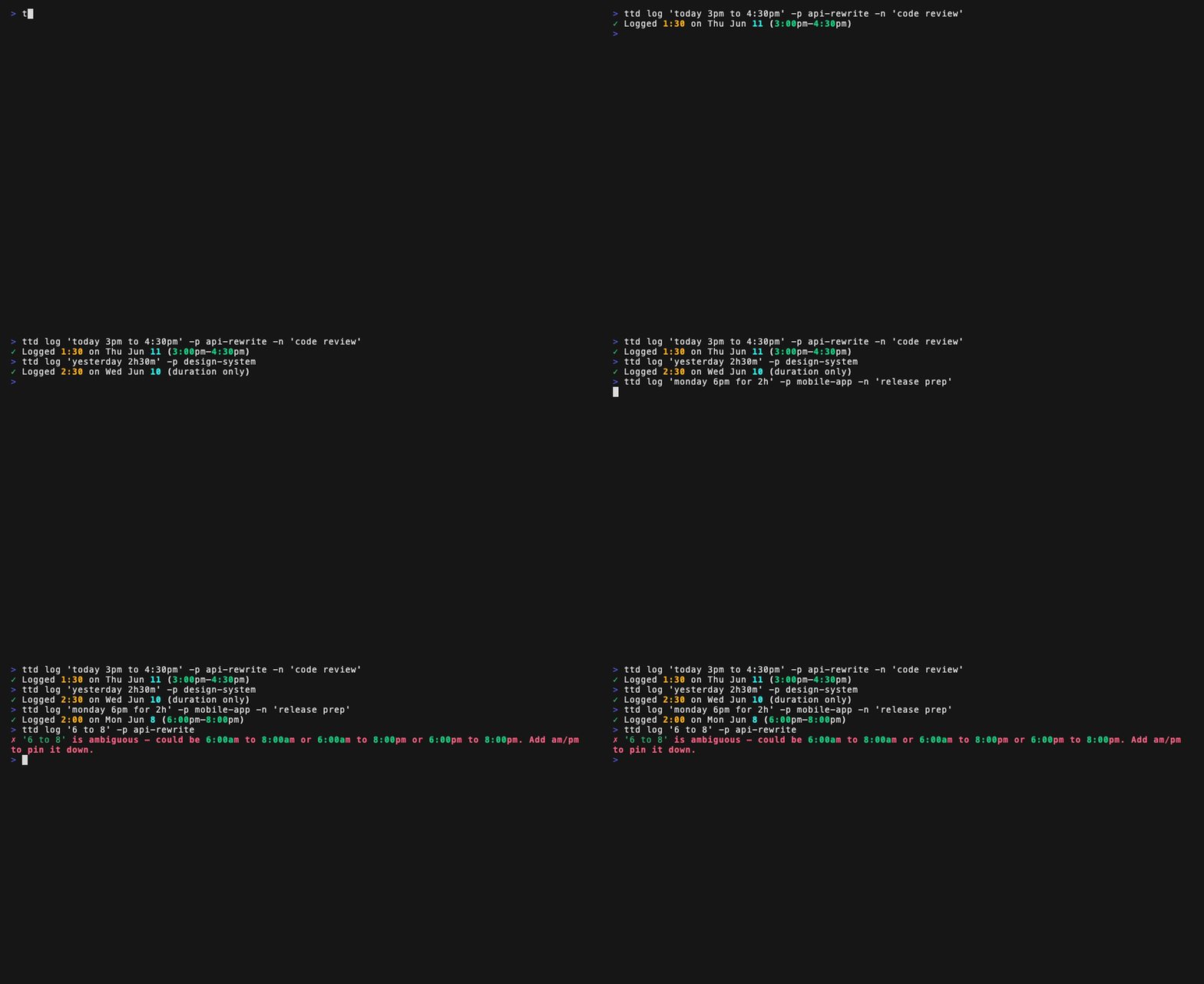
ttd log takes one quoted time expression covering the date and the time:
$ ttd log "today 9am to noon" -p api-rewrite
$ ttd log "yesterday 2h30m" -p api-rewrite          # duration only, no clock times
$ ttd log "monday 1pm for 3 hours" -p api-rewrite   # most recent monday
$ ttd log "2026-06-03 9-11:30" -p api-rewrite       # explicit date, time range
$ ttd log "3h at 9am" -p api-rewrite                # duration anchored at a time
Choosing project and client
-p/--project takes a project slug; add --client when the same project
slug exists under two clients. If you set defaults.project (or
defaults.client) in config, you can omit them entirely — handy with a
per-repo .ttd.toml (see Configuration).
Notes, tags, and billable
$ ttd log "2h" -p api-rewrite -n "code review" --tags deep-work,backend
$ ttd log "1h" -p api-rewrite --billable false     # tracked but never invoiced
New entries are billable by default (defaults.billable). Non-billable
entries show up in lists and reports (marked nb) but never on invoices.
Interactive logging
ttd log -i opens a form; any flags you did pass pre-fill it.
Validation: overlaps, ambiguity, limits
ttd refuses to log silently wrong data:
- Overlaps — an interval that collides with an existing entry on the same
project and day is rejected; pass
--forceto log it anyway. Duration-only entries have no clock range and can't collide. - Ambiguity — "6 to 8" could be morning or evening; if the workday window can't settle it, ttd rejects the expression and shows the readings it considered.
- Future dates are rejected, and a single entry can't exceed 14 hours.
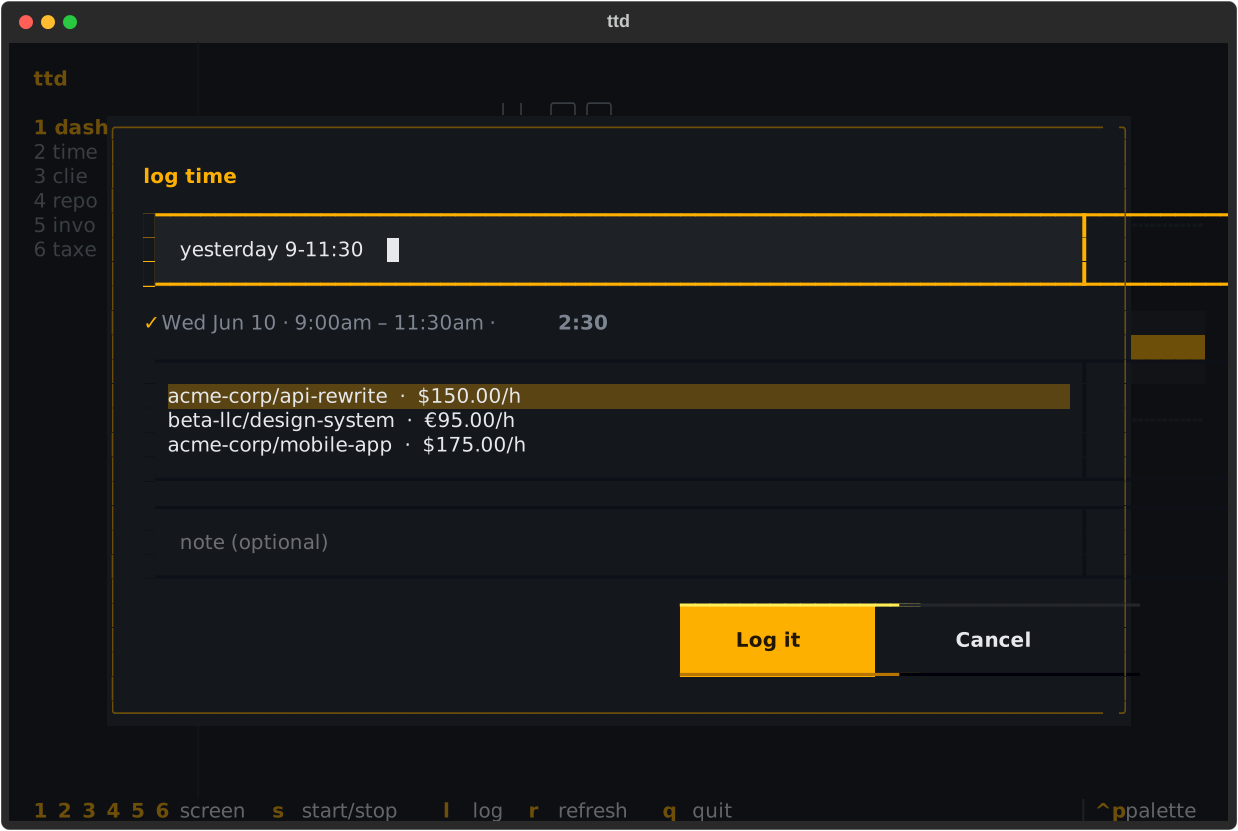
Quick log in the TUI
Press l on any screen. The form parses your expression as you type and
shows exactly what would be logged before you commit:
Where entries come from
Every entry records its source — timer, log, import, or tui — so you
can always tell how something got into the ledger (it's in
exports too).
Learn the full time language
Dates, weekday names, part-of-day words, 12/24-hour clocks, durations — the complete grammar with a cookbook of examples: Time expressions.