Reports
Where did the time go, and what is it worth? Reports answer both, for any period, filtered and grouped how you think.
Day, week, month, range
$ ttd report day                  # today
$ ttd report day 2026-06-03       # a specific day
$ ttd report week                 # this week
$ ttd report week --last          # previous week
$ ttd report month                # this calendar month
$ ttd report month 2026-05        # a specific month
$ ttd report month --last
$ ttd report range --from 2026-04-01 --to 2026-06-30
Each report lists hours and billable value, with totals.
Filtering
All report commands accept -p/--project and --client:
Grouping with --by
Week, month, and range reports group by project by default; regroup with
--by day (chronological rows) or --by client (one row per client):
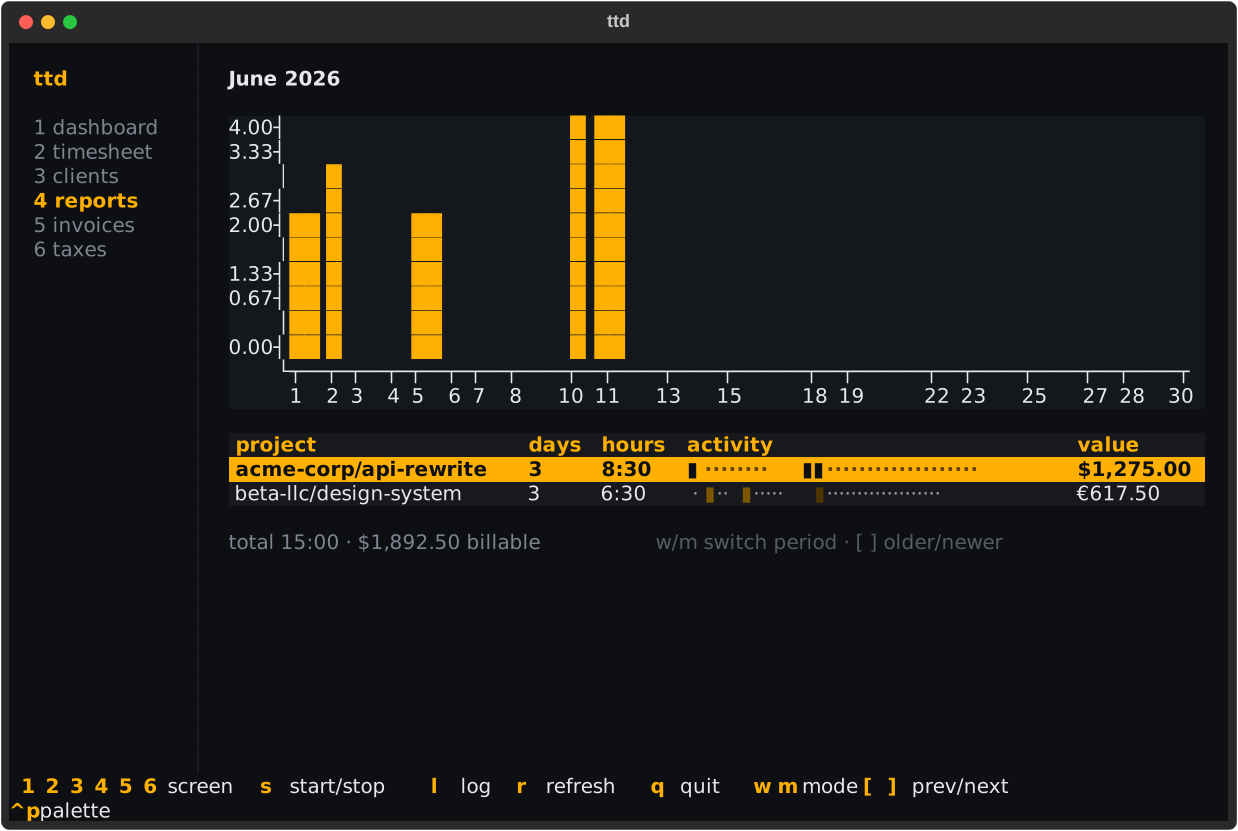
Project and client groupings include days-active counts and an activity heat strip — one colored cell per day, brighter meaning more hours.
Reports in the TUI
Screen 4 shows the same rollups with a bar chart of the period's days:
| Key | Action |
|---|---|
w / m |
week / month mode |
[ / ] |
older / newer period |
Rows without a configured rate show — in the value column — set one at the
project, client, or business.default_hourly_rate level.
The dashboard at a glance
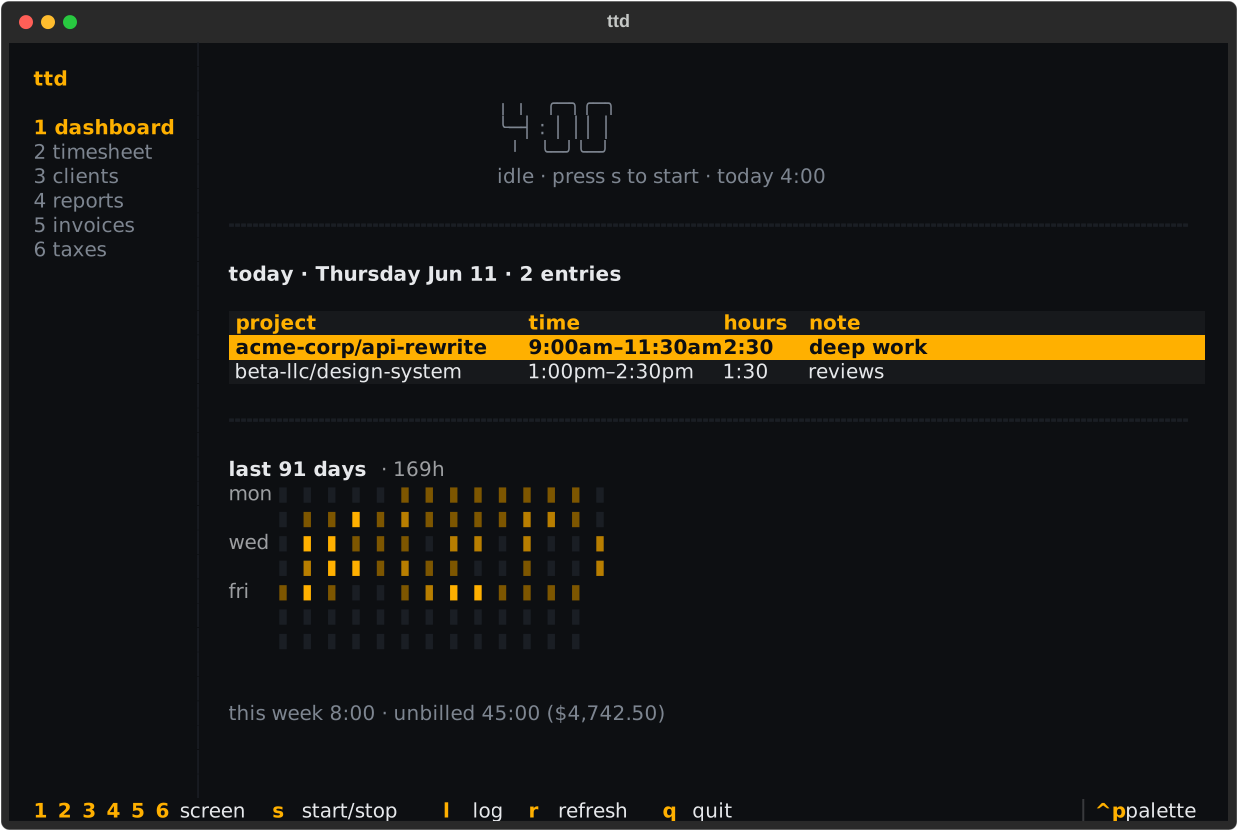
Screen 1 is the standing answer to "how's the week going": today's
entries, the week total and unbilled value, and a 12-week activity heatmap
in the style of a contribution graph:
Tuning the calendar
display.week_start—monday(default) orsunday; changes what "this week" means everywhere.display.time_format—12h(default) or24hfor displayed times.
Both via ttd config set; see Configuration.