Quickstart
From zero to your first invoice in about ten minutes. Everything here also
works through interactive forms (-i) or the TUI;
this walkthrough uses direct commands so you can see exactly what happens.
1. Tell ttd who you are
Your name and details appear in the FROM block of invoices; the default rate applies wherever a client or project doesn't set its own.
$ ttd config set user.name "Alice Developer"
$ ttd config set user.email alice@example.com
$ ttd config set business.default_hourly_rate 150
Currency defaults to USD (ttd config set business.currency EUR to change).
2. Add a client and a project
$ ttd client add "Acme Corp" --rate 150 --email billing@acme.example
✓ acme-corp

$ ttd project add "API Rewrite" --client acme-corp
✓ api-rewrite
Every client and project gets a short slug (acme-corp, api-rewrite) —
that's what you type everywhere else. Projects inherit the client's rate
unless given their own with --rate; see
how rates resolve.
3. Track some hours
Live, with a timer:
Or after the fact, in plain English:
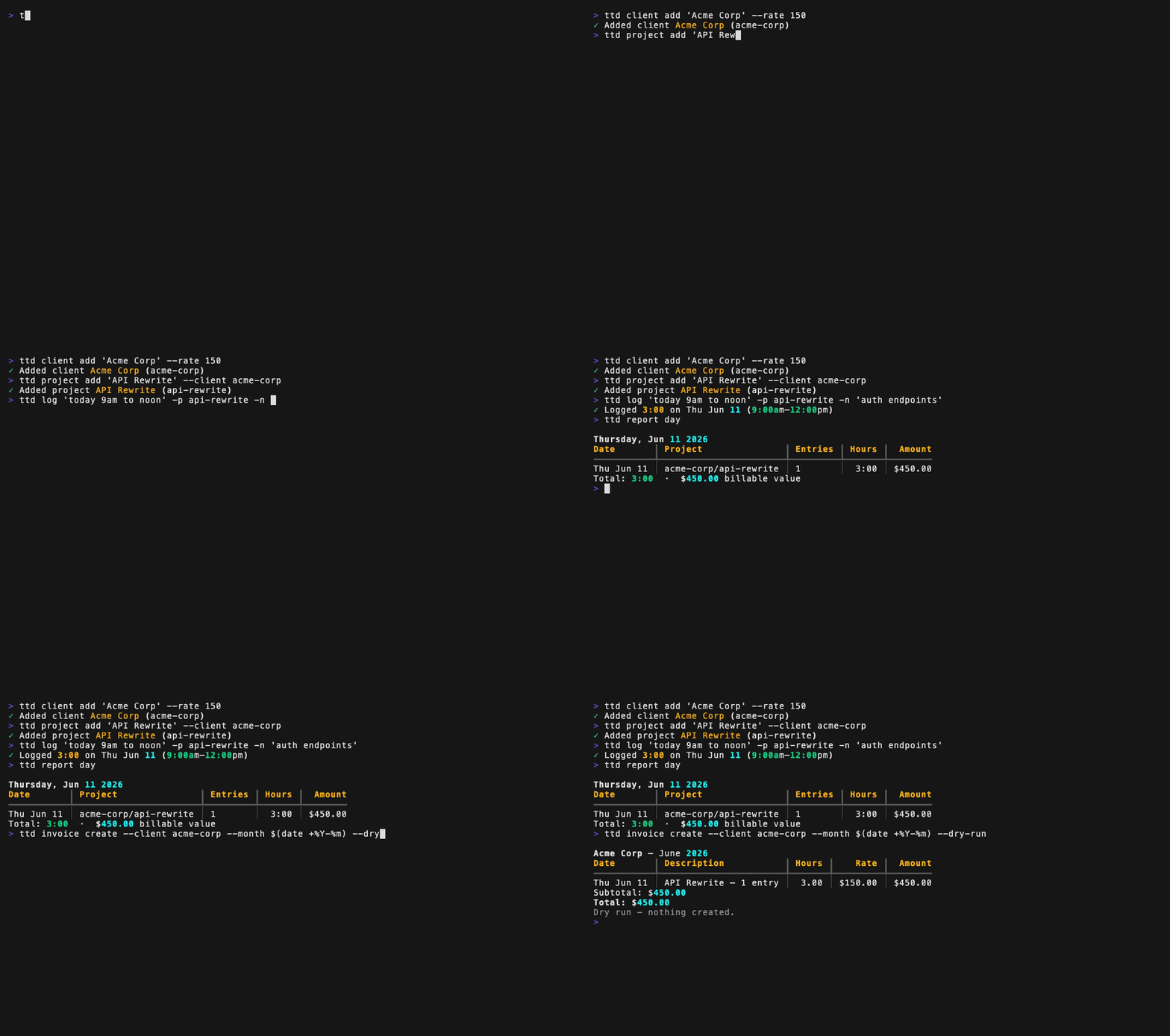
$ ttd log "today 9am to noon" -p api-rewrite -n "auth endpoints"
$ ttd log "yesterday 2h30m" -p api-rewrite -n "code review"
ttd understands dates, times, durations, and ranges — see Time expressions.
4. See where the time went
Reports group by project by default; --by day or --by client regroups,
and -p/--client filter. More in the Reports guide.
5. Create the invoice
Preview first — --dry-run shows the line items and total without creating
anything:
Then create it for real, rendering a PDF:
The period defaults to last calendar month (--month 2026-05 or
--from/--to to override). The PDF lands in ~/Documents/invoices/ as
2026-001-acme-corp.pdf. Details in the Invoicing guide.
6. Get paid (and set taxes aside)
Marking an invoice paid is also the moment ttd earmarks money for estimated taxes — if you've set a rate:
See the Taxes guide.
Next steps
- Tracking time — timers, overlap protection, editing entries
- The TUI — all of the above in a full-screen interface
- Configuration — defaults, per-project config, every setting
- CLI reference — every command and flag