The TUI
Run bare ttd and the full-screen interface opens — six screens covering
everything the CLI does, plus always-on timer and quick-log keys.
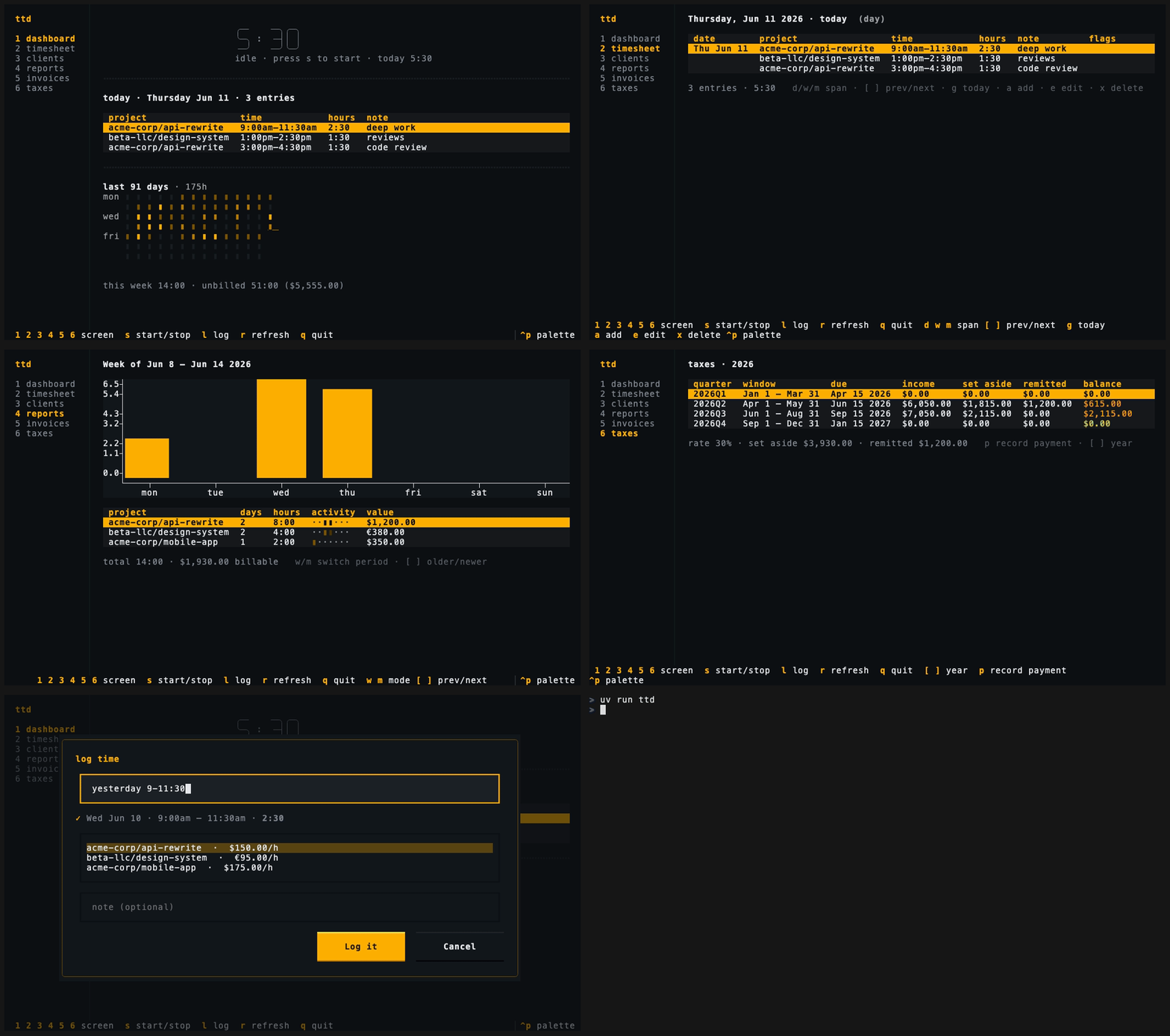
Global keys
These work on every screen:
| Key | Action |
|---|---|
1 – 6 |
switch screens (the nav rail shows the numbers) |
s |
start a timer / stop the running one |
l |
quick log — natural-language entry with live preview |
r |
refresh |
q |
quit |
The footer always shows every available key for the current screen — on narrow terminals it wraps onto extra rows rather than hiding shortcuts.
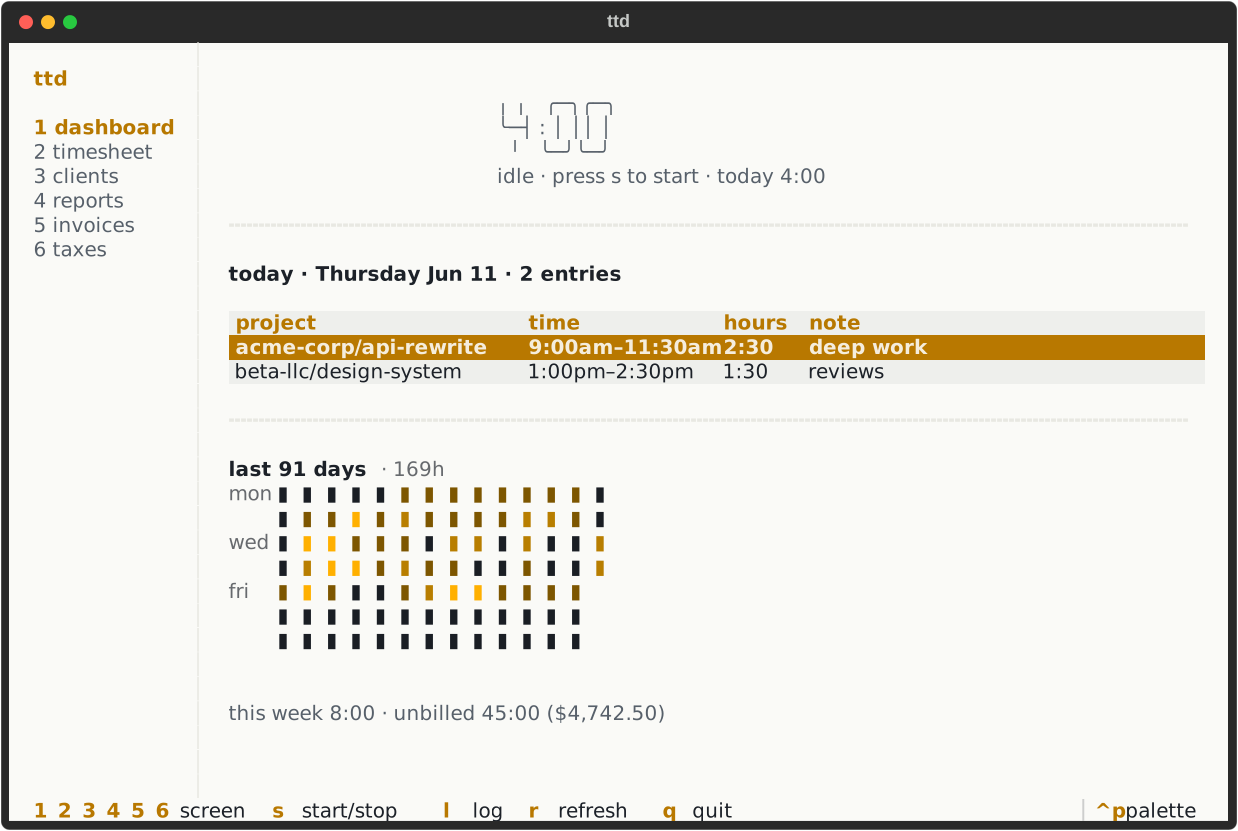
Dashboard
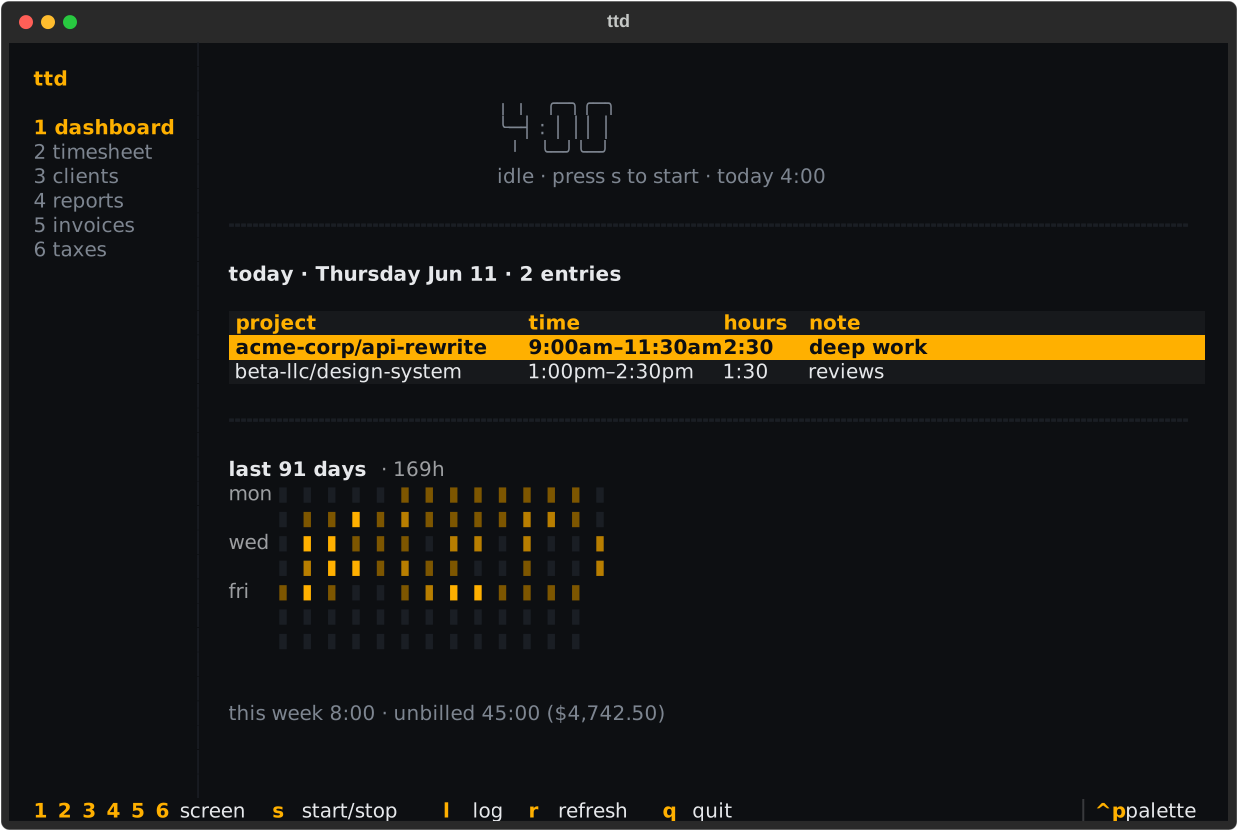
Screen 1. The big timer (idle or running), today's entries, the week's
hours and unbilled value, and a 12-week activity heatmap:
Timesheet
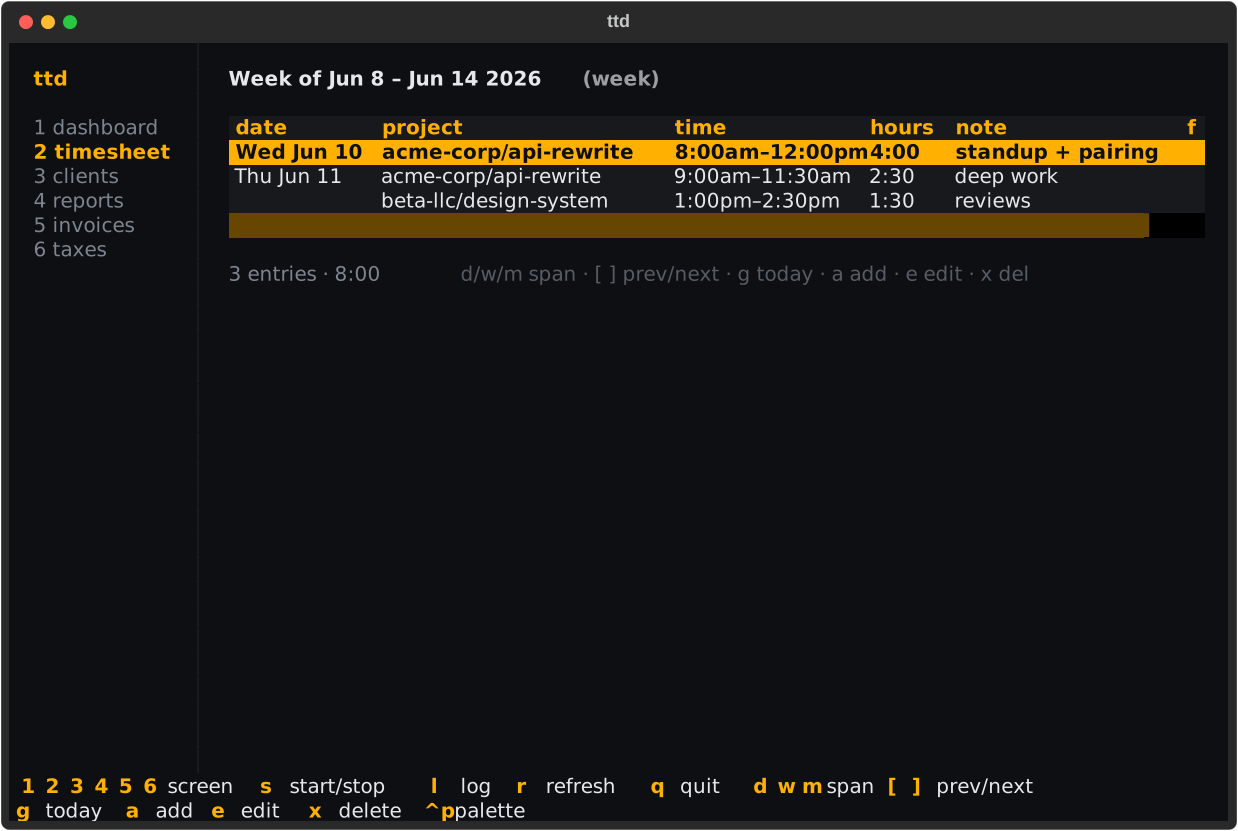
Screen 2. Entries grouped by day across a day/week/month span — add, edit,
and delete in place. Keys: d/w/m span, [ ] paging, g today, a
add, e edit, x delete.
Clients
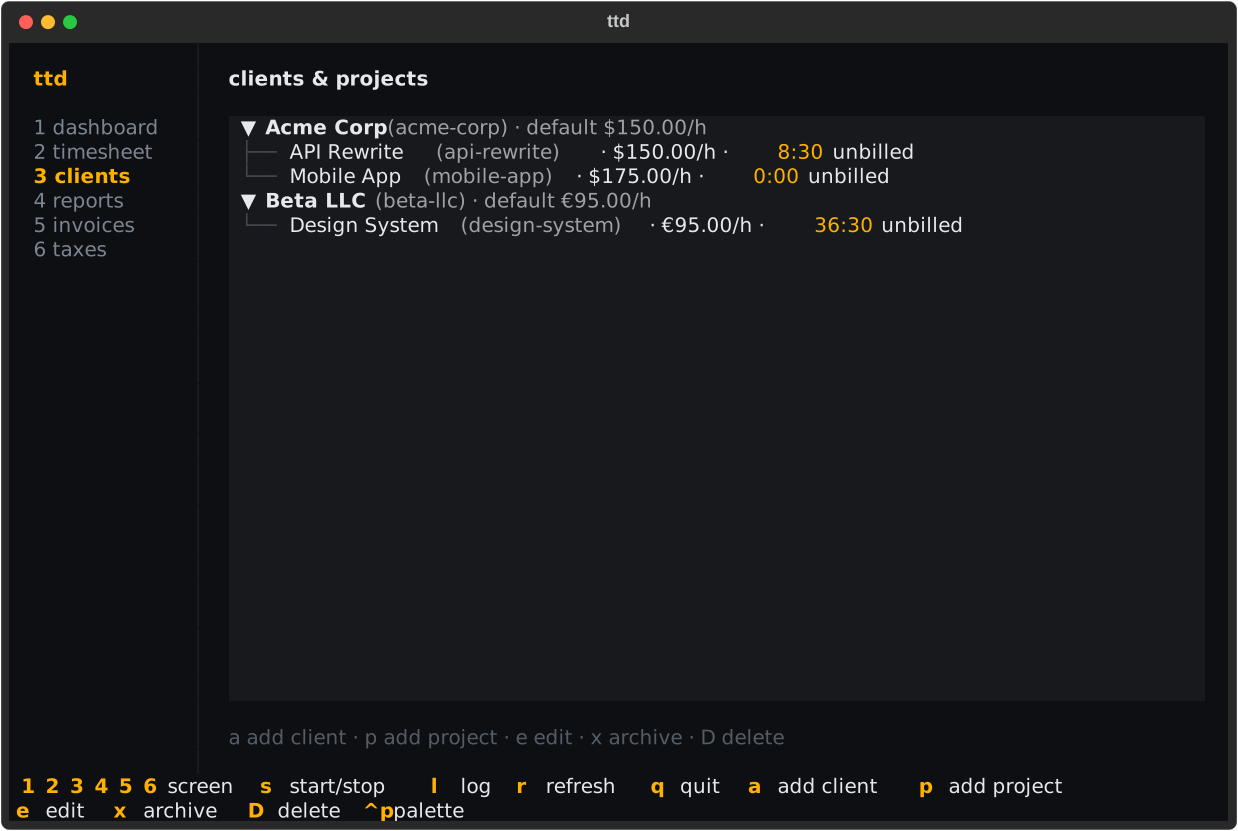
Screen 3. The portfolio as a tree — clients, their projects, rates, and
unbilled hours. Keys: a add client, p add project, e edit, x archive,
D delete.
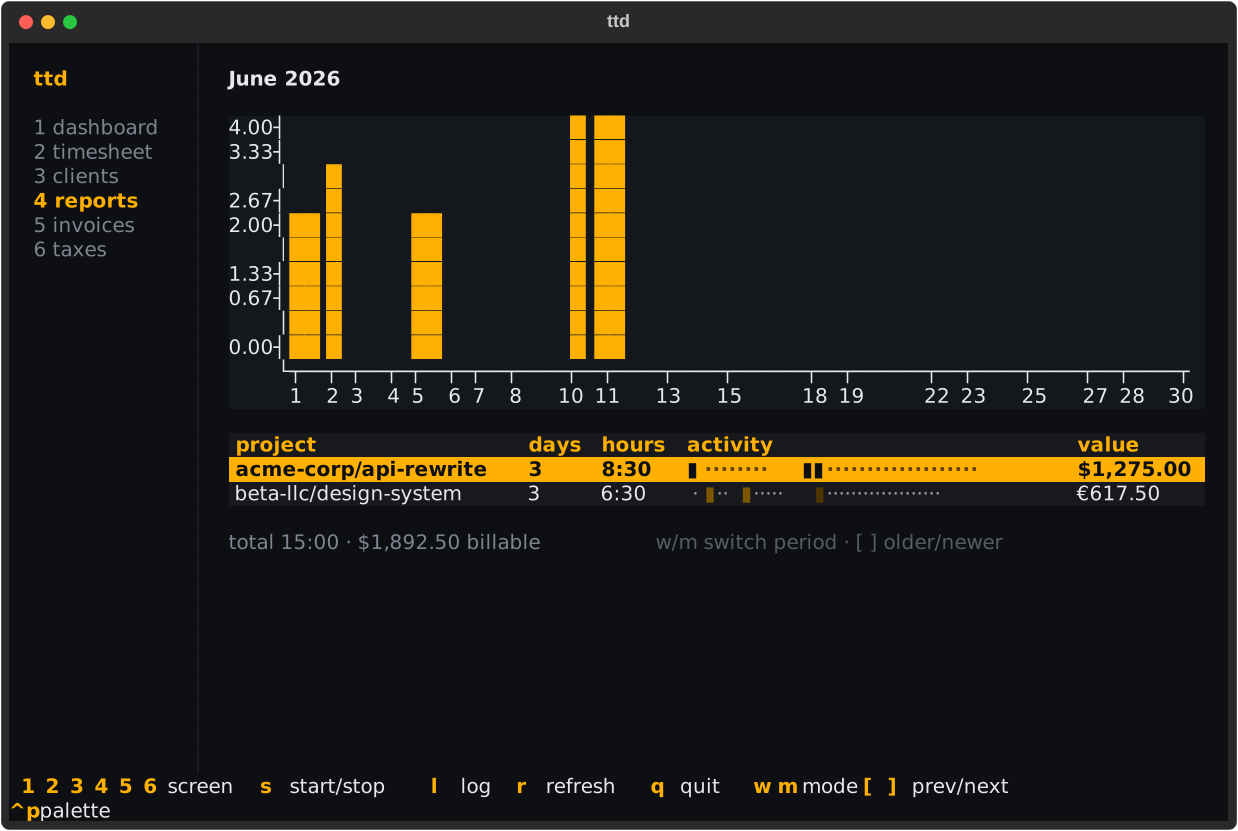
Reports
Screen 4. Weekly or monthly rollups with per-day bar chart and activity
heat strips. Keys: w/m mode, [ ] paging.
Invoices
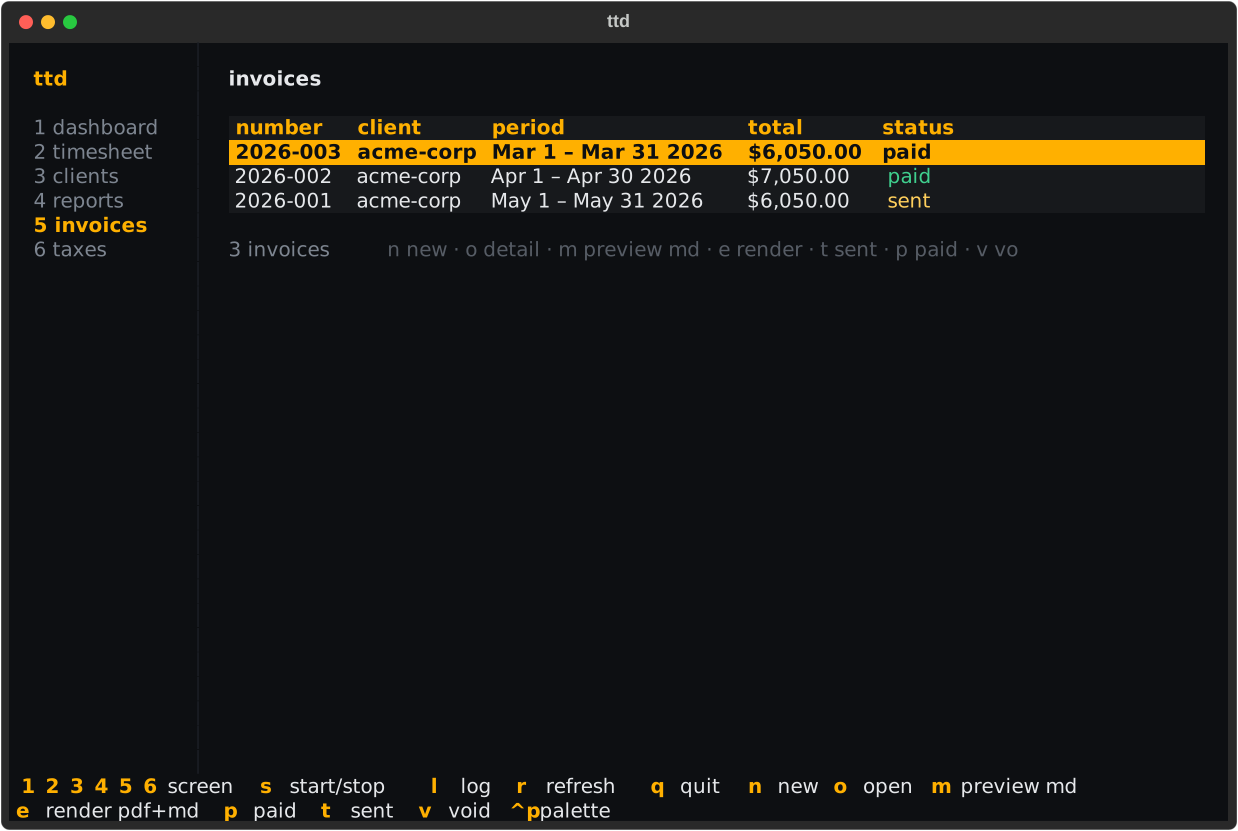
Screen 5. Every invoice with its status pill; create, inspect, render, and
advance them without leaving the screen. Keys: n new, o detail, m
markdown preview, e render files, t sent, p paid, v void.
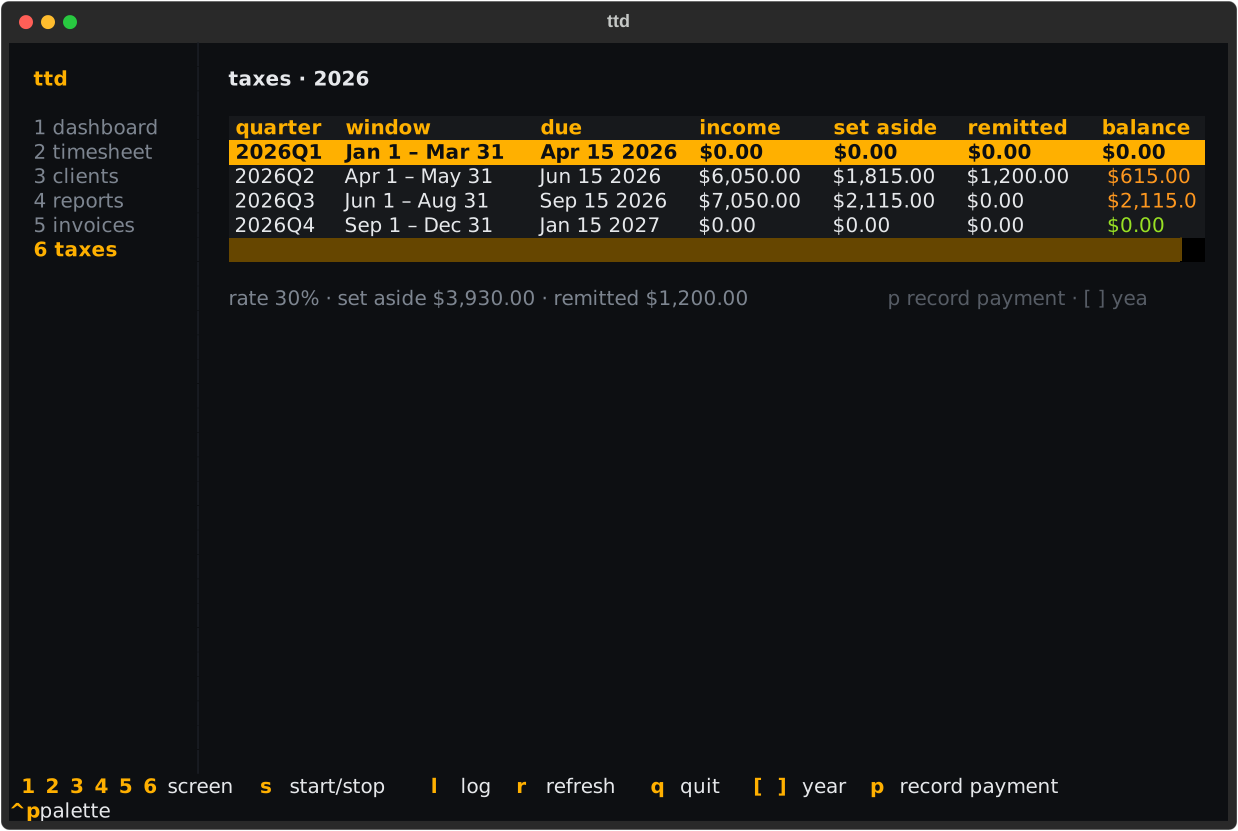
Taxes
Screen 6. The quarterly set-aside dashboard. Keys: p record payment,
[ ] change year.
Quick log and modals
l opens the quick-log form anywhere: type a
time expression, watch the live parse
preview confirm what will be logged, pick the project, add a note:
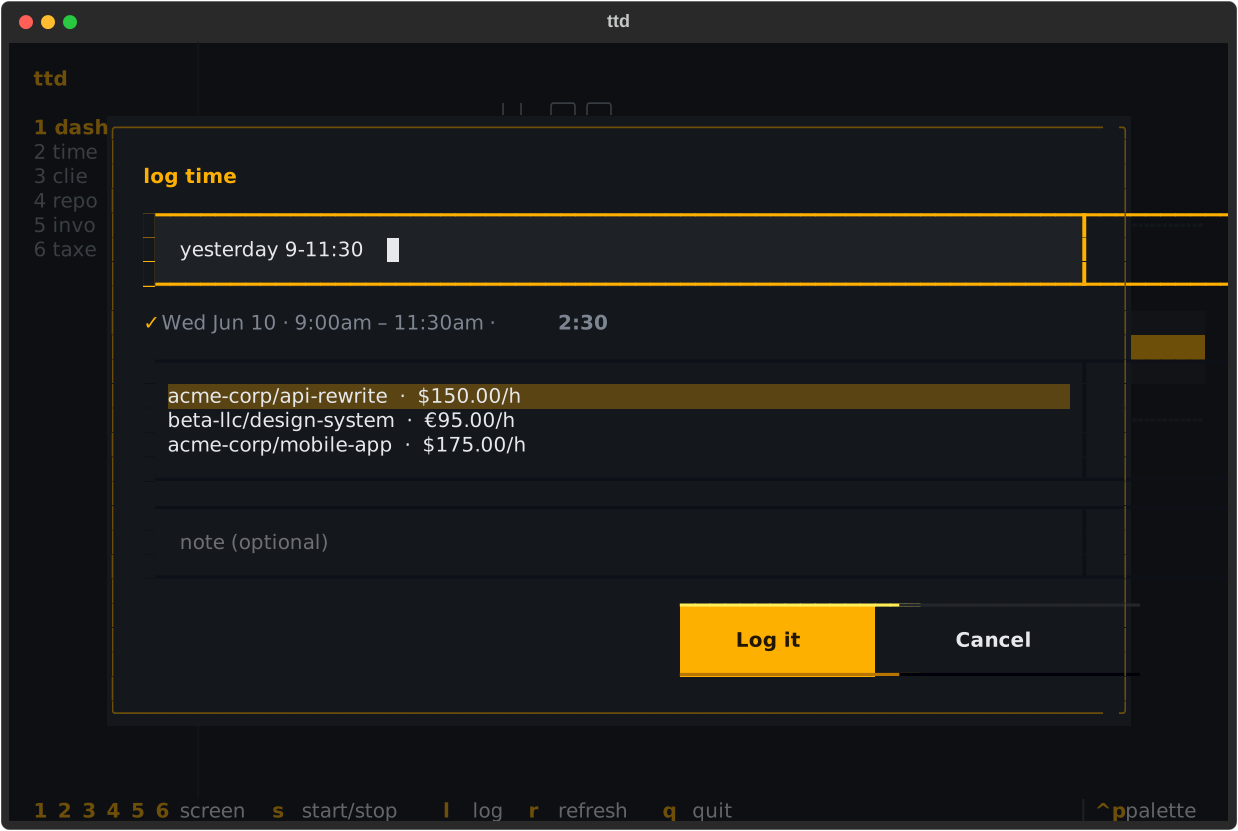
Forms submit with Enter and cancel with Esc; confirmation dialogs
accept y; pickers are arrow-key lists.
Themes
Two built-in themes, switched via config:
Full key reference
Every key on every screen, in one table: Keyboard shortcuts.